The Nuclear Control-Room Operating System
ChernOS is an immersive OS experience built on NixOS, featuring a Soviet-era control-room UI, reactor + containment simulation, a NetOps suite, multitasking, persistence profiles, plugins, and installability via Calamares.
Key Features
Filterable overview — click a category
System Platform
NixOS flake-based reproducible ISO with Wayland/Sway kiosk and fast boot tuning.
- Reproducible ISOflake build → isoImage
- Autologin + boot-to-dashboardkiosk-first experience
- Software fallbackVM-friendly rendering path
Shell Modes
Choose between Chromium kiosk and an Electron desktop suite for native multi-window.
- Chromium kiosklow overhead, stable in VMs
- Electron suitenative OS windows + multi-instance
- Workstation supervisorlaunch + manage windows
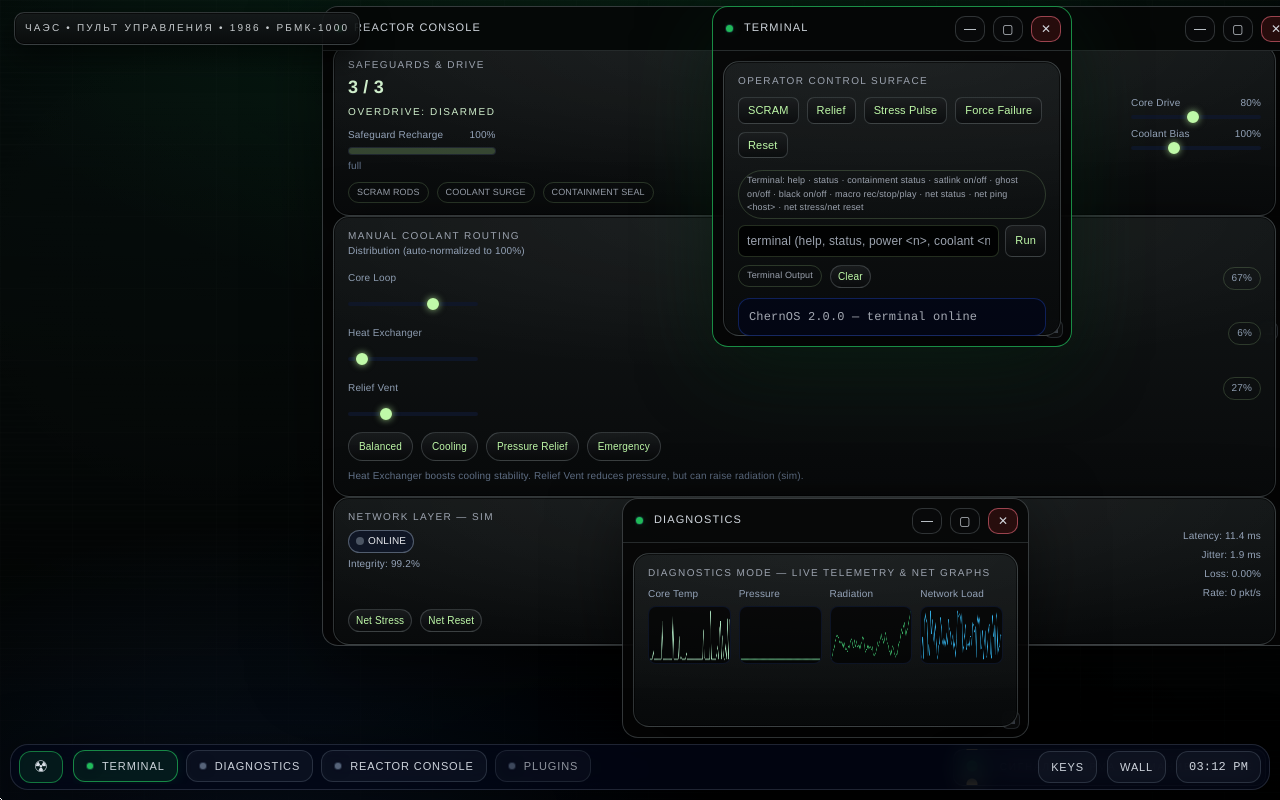
Multitasking & Windowing
Run multiple modules in parallel with an internal WM, taskbar, wallpapers, and hotkeys.
- Internal WMfocus / minimize / close
- Taskbar + wallpapersoperator workstation feel
- Hotkeysconfigurable operator shortcuts
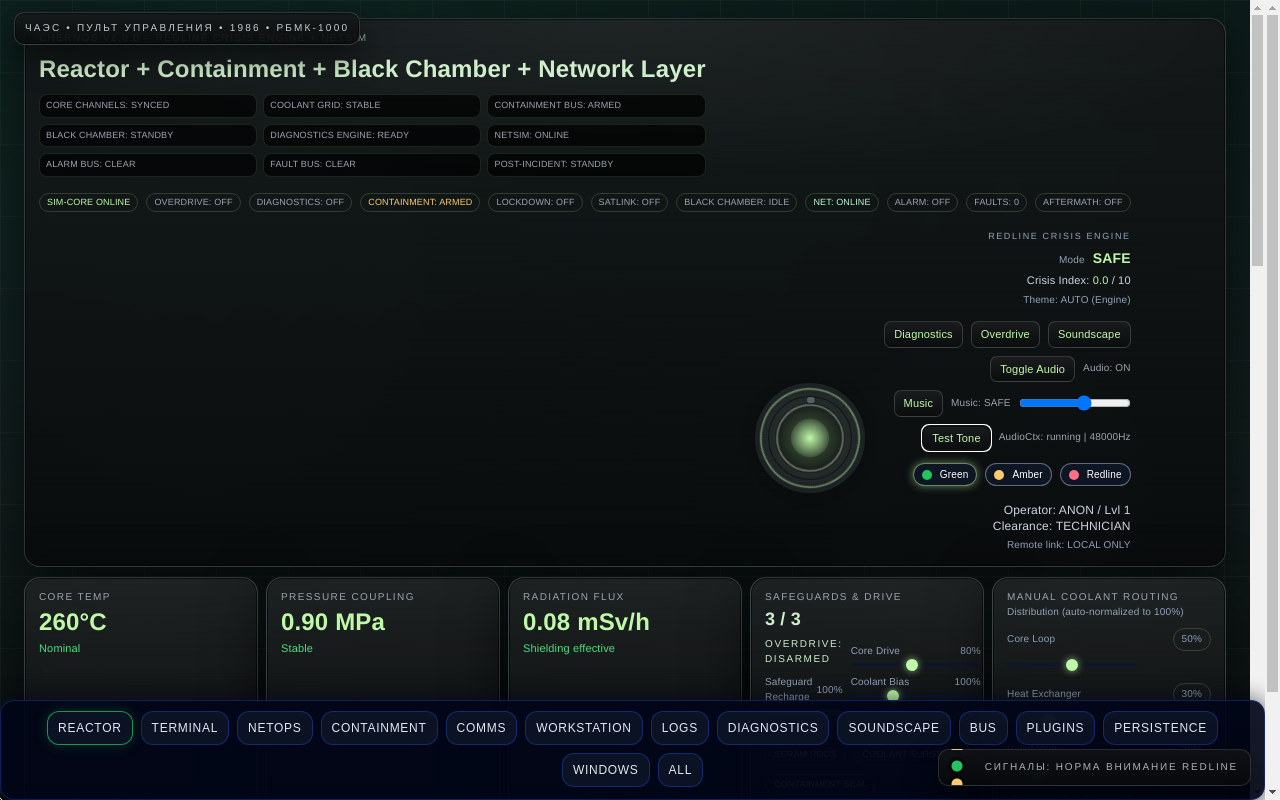
Reactor & Containment
Telemetry, safeguards, routing, faults, and aftermath — coupled to alarms and reactive audio.
- Animated temperature ringstemp / pressure / radiation
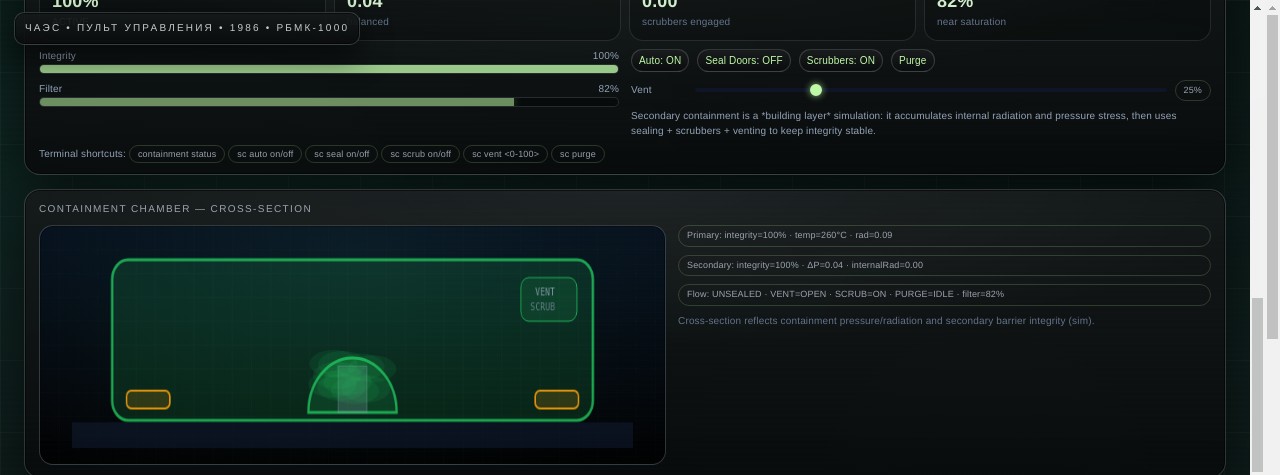
- Secondary containmentintegrity, ΔP, filtration, radiation
- Cross-section visualizerstylized live chamber view
Faults & Aftermath
Inject faults, watch cascades, and enter aftermath states with escalated alarms/music.
- Fault systemsensor / pump / pressure / ghost rad
- Safeguard rechargeresource + timing model
- Meltdown aftermathlockdown + state shift
NetOps Suite
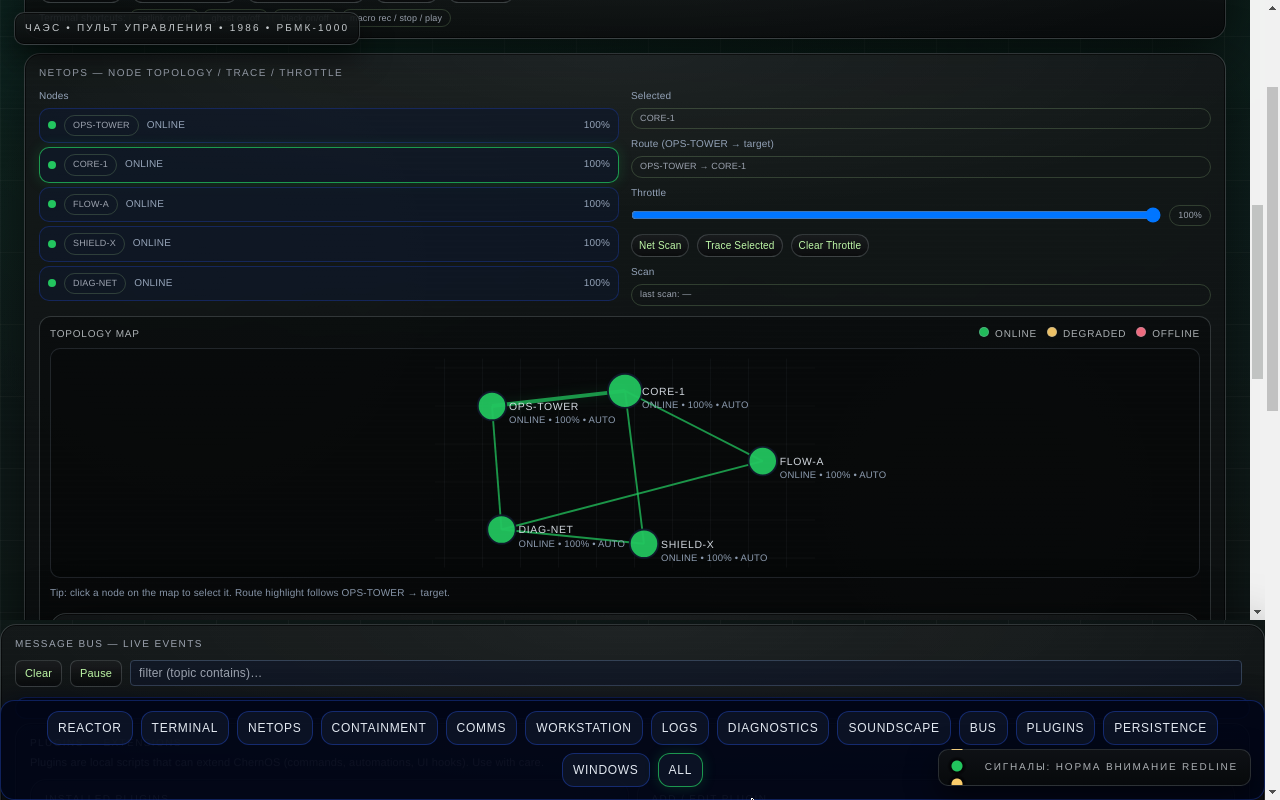
Node network simulation with packet routing/throttling, topology UI, and terminal tooling.
- NodesCORE-1 / FLOW-A / SHIELD-X / DIAG-NET / OPS-TOWER
- Packet systemroute, inspect, throttle
- Topology UIlinks, status, traffic context
Persistence v3
Profiles, snapshots, and logs — plus optional overlayfs persistence for OS-level changes.
- Profilessave/load operator presets
- Logsevent history + diagnostics
- Exportsportable JSON bundles
Message Bus & Plugins
Decoupled subsystems with publish/subscribe events and an extensible plugin framework.
- Event busfault → alarms → audio → UI
- Plugin systemcommands, listeners, UI panels
- Developer docsARCHITECTURE + PLUGINS guide
Installation (Calamares)
ChernOS includes Calamares to install from the live ISO to disk. Indicated hotkeys and UI actions may vary by build. Use on spare hardware/VMs unless you’re sure.
Screenshots
Click to expand
Get Started
Build, boot, and explore
Build the ISO
Requires Nix with flakes enabled.
Write the ISO to USB or boot it in a VM. Default shell is Chromium kiosk; Electron desktop is optional.
Recommended VM Settings
For VirtualBox / similar:
- VRAM128MB+ if available
- 3D AccelOn (if stable)
- Resolution1920×1080 best layout
Common Hotkeys
Defaults (may differ in your build):
Documentation
GitHub links
Architecture
Layer model (NixOS → Wayland/Sway → Shell → UI core → Sim engine → Bus/Plugins).
Plugins
Plugin manifest, API, permissions model, packaging, debugging, and examples.